Users find answers even when their words don't match the document's, and reach the first relevant result faster.
Search that meets people where they are
I rebuilt Diligent Boards' keyword search into a global, semantic experience, so governance professionals can find critical information across hundreds of board materials and years of meeting cycles.






What it delivered
Entry points, quick search, in-document search, snippets, navigation, filters, sorting, and highlighting.
Search now matches what the legacy tool offered, removing a blocker for customers waiting to move to Boards.
Context
The search gap blocking both governance work and the AI roadmap
Corporate secretaries, admins, executives and directors manage meeting packs, minutes and committee papers across years of institutional history. I led the search redesign end to end.
Two primary user types, two fundamentally different search intentions
This split, and the retrieval each intent needs, reflects the two roles and the team’s day-to-day work supporting both.

Board admins
“I’m assembling a pack or answering an auditor, so I know exactly what I’m after: the precise term, the specific approval. It could be buried in a meeting from years ago, so search has to match my words exactly and look across everything.”

Board directors
“I rarely know the right words. I’m asking how a decision evolved or a trend moved across quarters, and no single document answers that. Search has to understand what I mean, not just match what I type.”
The fundamentals the old search never had
I defined the flow and UI patterns early to unblock the front-end engineers while the back-end search architecture was still being built, reusing what we could to get the most value from the least rework.
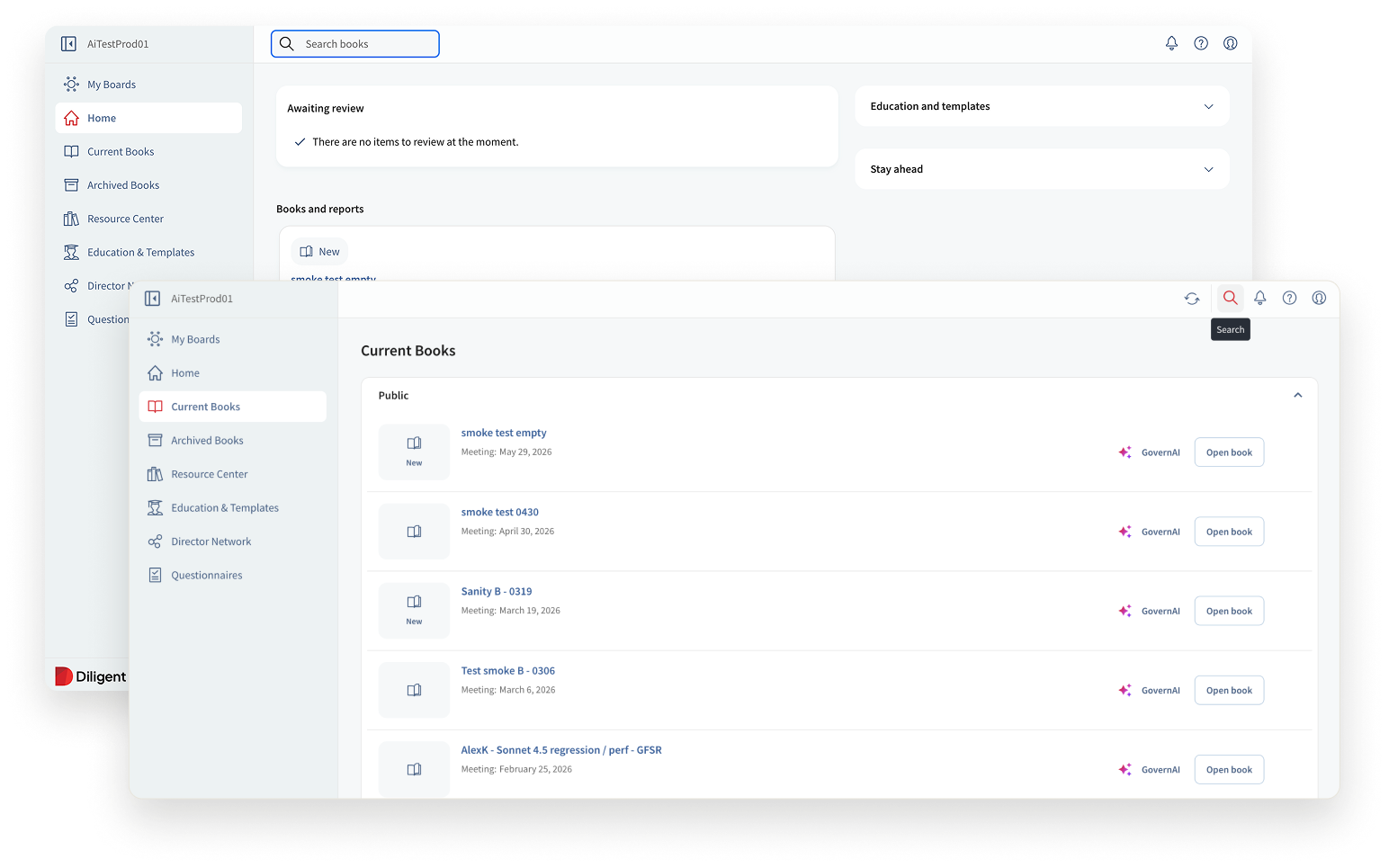 Before · entry points
Before
Limited, inconsistent entry points. Governance professionals guessed which board pack a document lived in, then fell back to SharePoint or a legacy desktop app.
After
Global search on every main page, across every document. Plus:
- results start after 3 characters typed
- the last 3 recent searches show before you type a query
- works on mobile for the first time — search was desktop-only before
Before
Filters were hidden, incomplete, and clunky.
- Buried in a panel.
- No visible active-filter state.
- No one-click clear.
- No way to narrow by meeting or creation date, two of the filters users needed most.
After
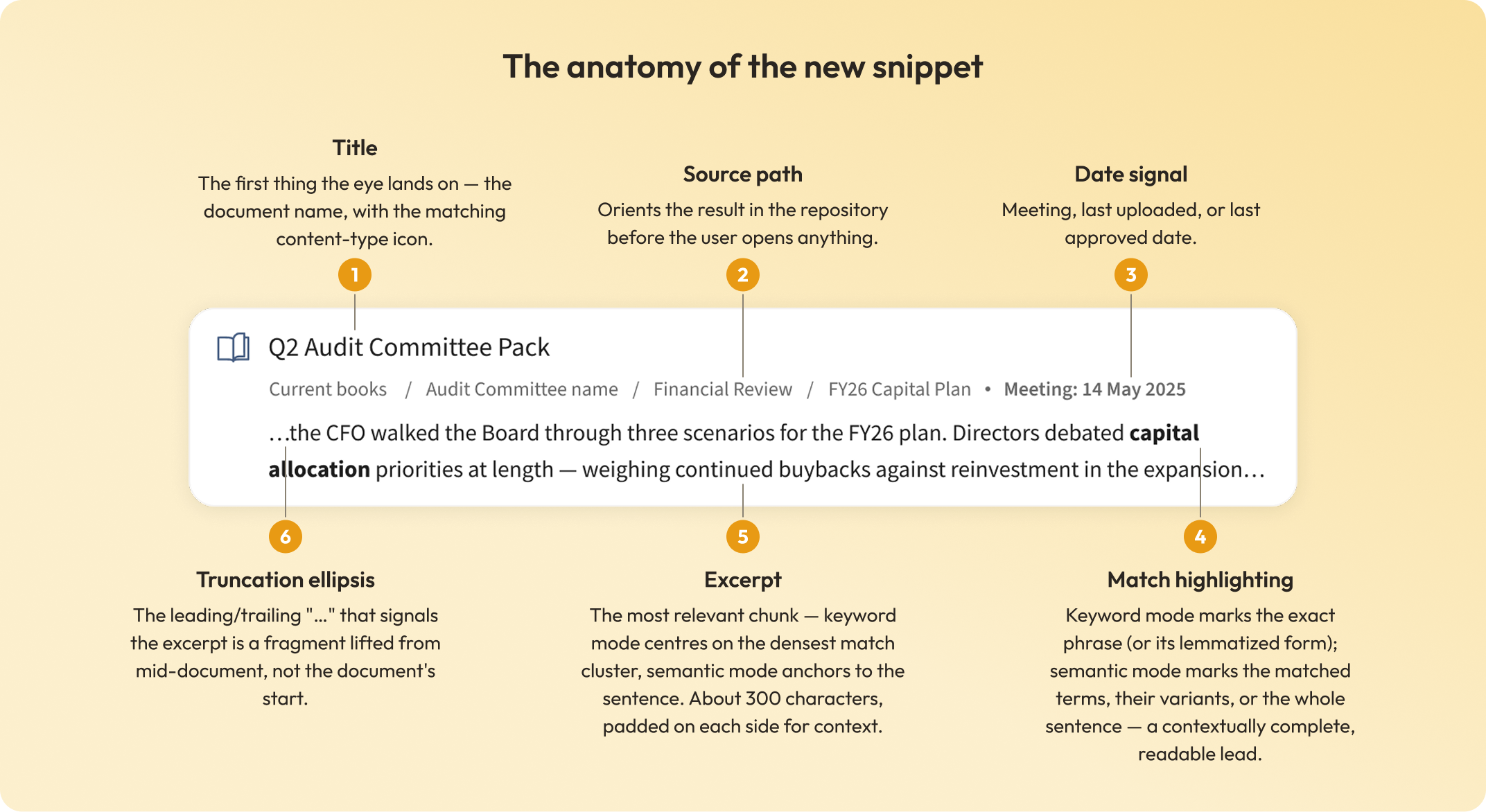
Content type, committee, and meeting date, with a visible active state and one-click clear. Snippets show the meeting date for books and the last approved or uploaded date for Resource Center docs, so users stay oriented while filtering.
Before
No search inside documents. Admins couldn’t search within an open document. Finding content meant leaving it, returning to search, opening a new result, and losing their place every time.
After
In-document search and navigation, built on the director’s viewer pattern so both user types work the same way.
One glance should be enough to decide
The snippet is all a user sees before deciding whether to open a result, so it has to settle that decision on its own: surface the match, give enough context to read it, and prove the result is real.
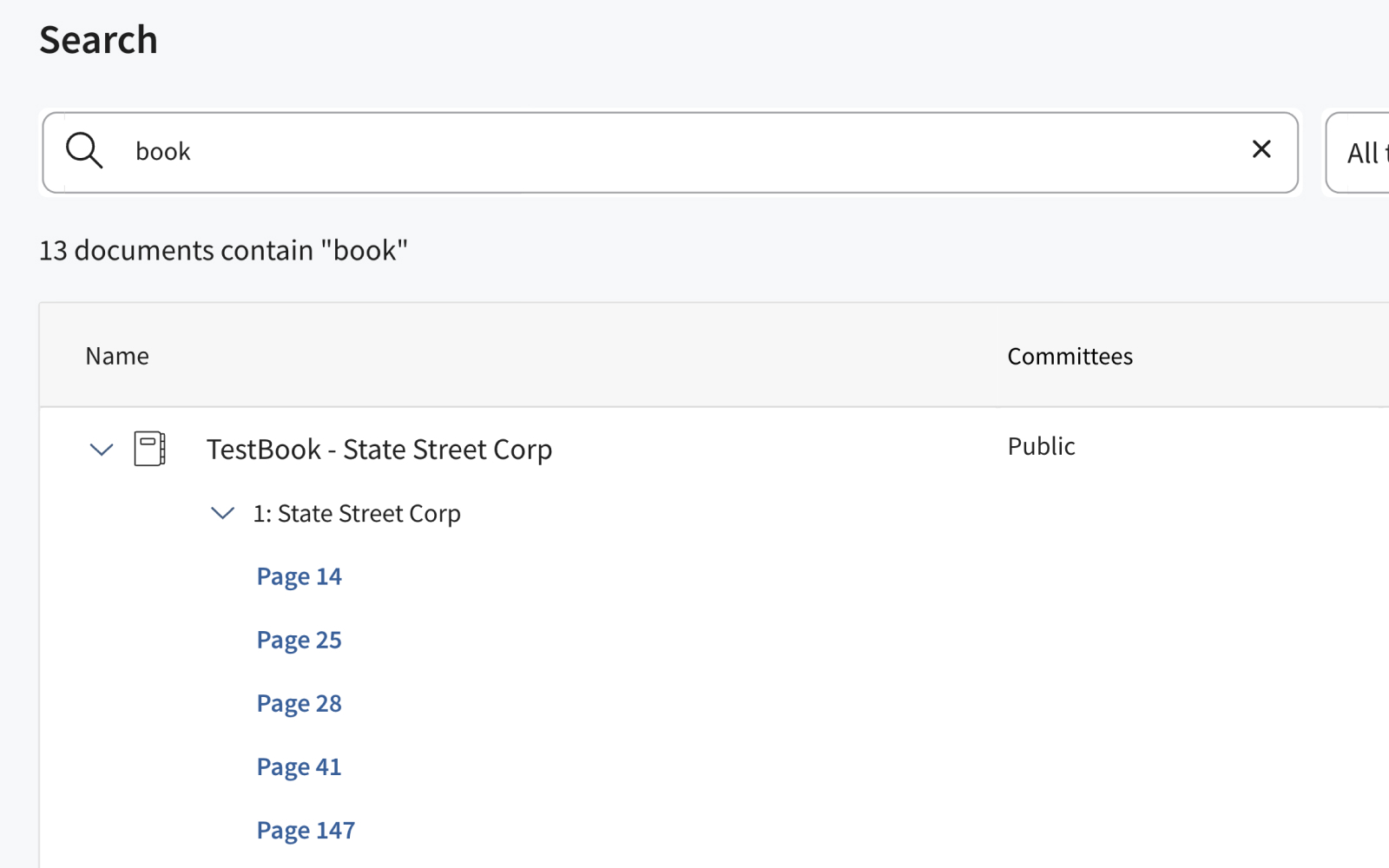 Old search · page-number links only
Before
In the old search, results showed a document title and a page number, nothing else. Judging relevance meant opening every result. A director with 30 seconds and eight results had no signal for which to open.
Proving every result is a real match
Challenge
- Highlighting, the layer that explains why a result matched, was the single biggest driver of search latency and cost.
- Resolving it for every result up front slowed search so much the team rejected otherwise-sound designs to avoid reintroducing the lag.
- But stripping it out to stay fast removed the one signal users leaned on to trust a result that wasn’t an obvious keyword match.
Solution
Made highlighting progressive: show the result immediately, resolve its highlights when the user opens it. Fast enough to ship, honest enough to trust.
Results that are right but look wrong
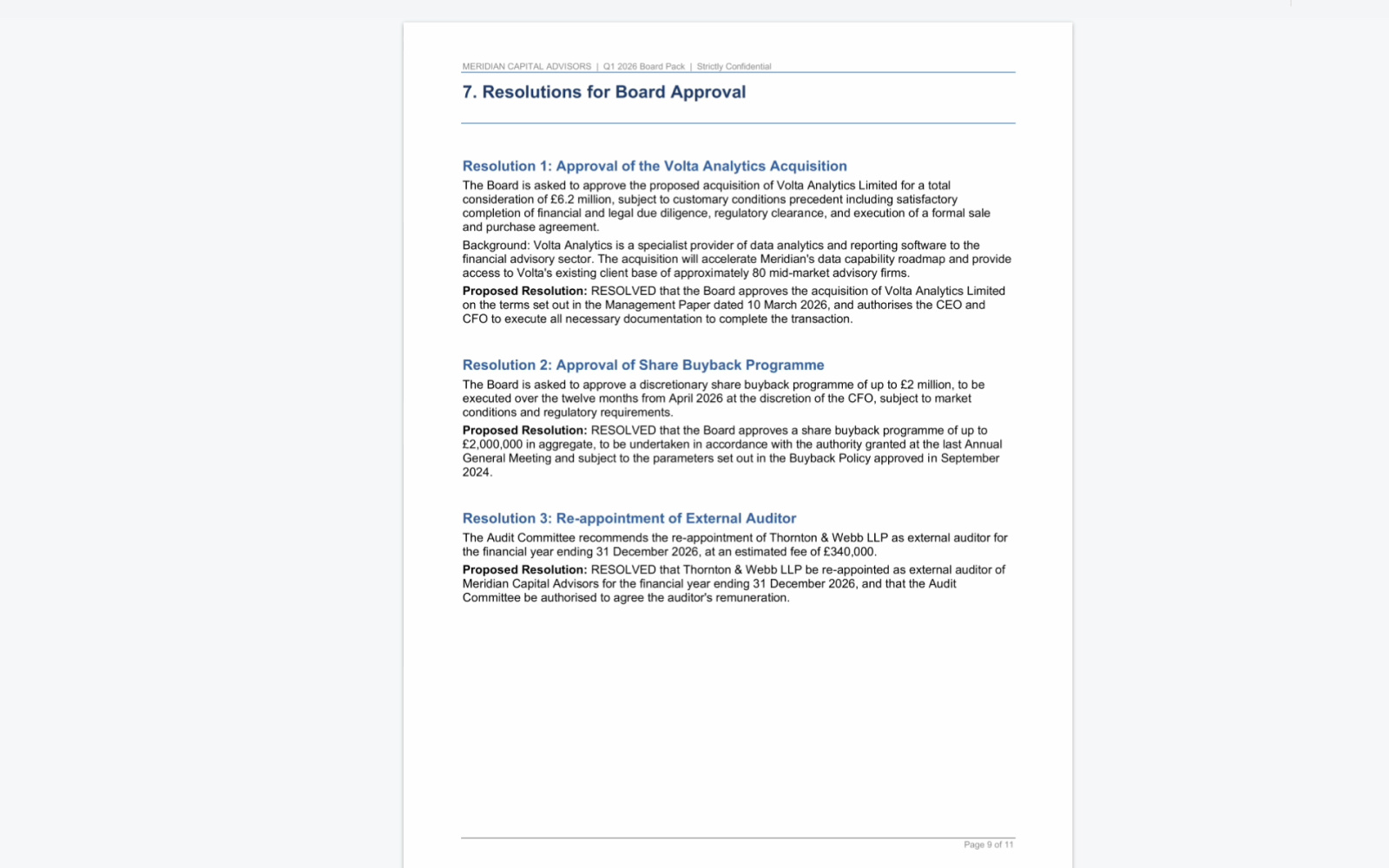 Before · no highlight, looks wrong
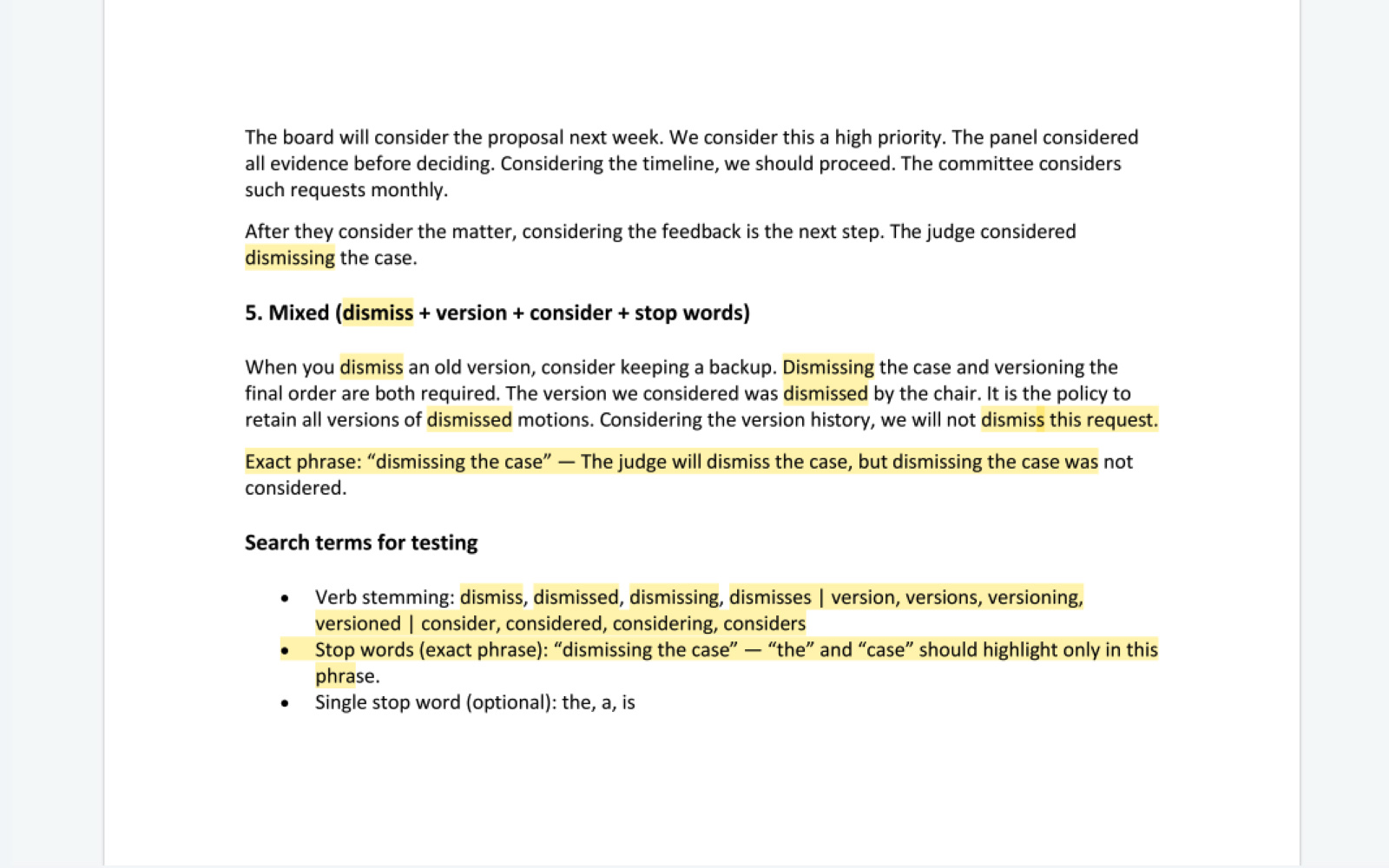 After · lemmatized highlighting
Challenge
- Search reads content in ~1,500-character passages that can span several pages; the viewer works one page at a time.
- Clicking a result lands you at the start of the passage, not the exact match, sometimes a page off from the highlight, so a correct result looks wrong.
Solution
- Added a page range to each result item.
- Pushed for lemmatization so "dismiss" also highlights "dismissal", "dismissing", "dismissed".
- Pushed to cut chunk size from 1,500 to 500 characters, so fewer passages spill across pages.
When the system can do more than a user should have to configure
The same query can run two ways. In quotes, “capital allocation” matches the exact phrase; without quotes, the same words run a semantic, meaning-based search, a broader, concept-ranked set where other books and Resource Center documents surface that the exact phrase would miss. Which raised the real question: how much of this machinery should a user ever see?
Challenge
The PM proposed a mode toggle to switch between keyword and semantic search, an instinct customer feedback from migration calls reinforced. Three structural problems:
- Sort conflict: semantic mode forces relevance sort, which fights the page-order navigation users expect inside a book.
- Silent result-set switch: flipping modes quietly re-runs the search and returns different results, with no cue as to why.
- Cognitive load without benefit: two visible modes imply you must understand the mechanism to search well. You don’t, and most won’t.
Solution
Keyword precision as hint text only (“use quotes to search exact keywords”), sort order handled separately. Users who need precision get a technique, not a mechanism to configure.
Shipped to Early Access Program, with the retrieval layer the AI roadmap needed
- A redesign that shipped. Global search across every book and the Resource Center, semantic retrieval alongside keyword, contextual snippets, in-document search for admins, extended filters, and the highlighting and ranking rules that make a result readable at a glance. Eight long-standing usability issues, resolved.
- Fewer dead ends. Zero-result searches dropped roughly 57%. Users no longer have to guess the exact words a document used, and the path to the first relevant result is shorter.
- Parity with the legacy tool. The redesign closed the search feature-parity gap with OneClick, clearing a blocker for customers still waiting to migrate to Boards, and fed five major design-system upgrades the rest of the governance suite now reuses.
- The retrieval layer the AI roadmap needed. RAG, document Q&A, and the assistant all depend on search that finds the right passage first.
What I’d approach differently
The project took several architectural pivots under technical limits and time pressure — the largest, an AWS index-level encryption dependency that slipped the release from March to the April EAP and folded highlighting, filters, and sorting into a single launch. Each one reset which design assumptions still held, and with the EAP deadline close, some UX compromises shipped that wouldn’t have on a clean slate. The pivots themselves hold little design lesson, but how we worked around them does. What I take from this:
Keep design documentation live as the project moves
On a fast-pivoting technical project, undocumented decisions turned into misunderstandings. Next time I’ll keep a live source of truth alongside the design, not after the fact.
Run fast, targeted research on high-stakes questions, even in-house
We waited for EAP to learn whether unhighlighted results erode trust. Five governance users in an unmoderated test would have settled the highlight decision before we committed to it.